Get help

Help center

Guides and answers

Contact support

Write to our team

Sign in to

Workflows

Build processes with your team

Automations

Connect files and automate tasks

One system, four parts

AI agents

Virtual Employees that work 24/7

Automations

Connect files and automate tasks

Workflows

Build processes with your team

Data Space

Trusted data sharing and control

Solutions by department

Finance

Reports, budgets, and reconciliations

Inventory and manufacturing

Stock, orders, and production in one view

HR

Timesheets, attendance, and reviews

Project management

Status and workload across projects

Sales and CRM

Leads and deals kept up to date

Education

Student records and school data

Finance

Turn manual finance work into reports that update themselves.

What Finance teams automate

  • Track payables and receivables
  • Build cash flow statements
  • Compare budget against actuals

Inventory and manufacturing

See stock levels and automate ordering.

What inventory and manufacturing teams automate

  • Track inventory across multiple sites
  • Connect sales, purchasing, and warehouse data
  • Link a barcode scanner to your sheet

HR

Run recruitment, attendance, and OKR tracking from your sheets.

What HR teams automate

  • Track recruitment and onboarding
  • Record team OKRs and results
  • Track check-ins, check-outs, and leave

Project management

Assign tasks and track hours without manual updates.

What project teams automate

  • Assign tasks and track status changes
  • Estimate effort and log hours worked
  • Track milestones across projects

Sales and CRM

Track leads and sales performance with automated reports.

What sales teams automate

  • Track and convert leads
  • Set sales goals and track team metrics
  • Monitor sales KPIs on dashboards

Education

Automate attendance, grades, and school purchasing.

What schools automate

  • Track attendance and notify parents
  • Record and compare class grades
  • Track inventory lent to students and staff

Find a use case

By department

How each team uses Sheetgo

By industry

How each industry uses Sheetgo

By company size

Small, medium-sized, or large

Learn

Blog

Guides and product news

Customer stories

How teams like yours use Sheetgo

Help center

Guides and answers

Why Sheetgo

Compare

How Sheetgo compares with other tools

Security

How we protect your data

Trust center

Our compliance details

Sign in to

Workflows

Build processes with your team

Automations

Connect files and automate tasks

One system, four parts

AI agents

Virtual Employees that work 24/7

Automations

Connect files and automate tasks

Workflows

Build processes with your team

Data Space

Trusted data sharing and control

Solutions by department

Finance

Reports, budgets, and reconciliations

Inventory and manufacturing

Stock, orders, and production in one view

HR

Timesheets, attendance, and reviews

Project management

Status and workload across projects

Sales and CRM

Leads and deals kept up to date

Education

Student records and school data

Find a use case

By department

How each team uses Sheetgo

By industry

How each industry uses Sheetgo

By company size

Small, medium-sized, or large

Get started

Templates

Ready-made workflows to start from

Learn

Blog

Guides and product news

Customer stories

How teams like yours use Sheetgo

Help center

Guides and answers

Why Sheetgo

Compare

How Sheetgo compares with other tools

Security

How we protect your data

Trust center

Our compliance details

Help center

Guides and answers

Contact support

Write to our team

Workflows

Build processes with your team

Automations

Connect files and automate tasks

How to write an invoice email

Are you looking for some tips on how to write an invoice email? 

Read this article to discover how you can effectively write an invoice email and, more importantly, streamline the entire process to send personalized emails with your invoices automatically.

What is an invoice email?

After closing a deal and delivering the product or service, it’s time to collect payment. In order to get paid, you need to send your customer an invoice to request payment for the work you have done.

An invoice email is an email that a company sends to its clients to collect payment. It includes a detailed breakdown of what the client is being billed for, the total amount due and the payment terms.

Why is an invoice email Important?

Don’t downplay the importance of writing an effective invoice email. While closing a sale and delivering the service might seem the most important parts of the sales process, the way you present your invoice can significantly impact your payment process and client satisfaction.

An invoice email reminds your clients of their financial obligations and provides them with all the information they need to make the payment, which could prevent payment delays and defaults.

Tips for writing an invoice email

Write an effective subject line

It is common knowledge that businesses send and receive a large number of emails every day. If you don’t write a clear subject line, chances are that your email will get lost in the shuffle. Therefore, writing an effective subject line can drastically increase your chances of catching your recipients attention and convincing them to open your email.

That being said, you should neither reinvent the wheel or try to be wildly creative. Although sending an invoice can be a little awkward, don’t beat around the bush. You can go straight to the point and let the client know right away what your email is all about by including the word “invoice” or “payment” in the subject line.

Be clear and concise

Now that the recipient knows what your email is about, write a clear and concise email. Your goal is to provide clients with all the information they need to pay the invoice. 

Explain the purpose of the email and include the breakdown of the items or services provided, including the description, the total amount due, and the due date.

Use a professional tone

Adopt a professional tone and be polite. Even though it’s important to be clear and concise, always be polite and respectful. If your message is too abrupt, it could sound rude and pushy.

Demonstrate professionalism and let your clients know that they can reach out to you if they have any questions.

Attach the original invoice

Even if you include all the information in your email, remember to send the invoice as an attachment. If you send a downloadable PDF, your client will be able to save the file to keep their records.

Personalize your message

If you use an invoice email template, at least call your recipients by their names and add personalized details to the message. Personalizing your message and adding a human touch can help you strengthen relationships with your clients.

After all, building a long-term relationship can attract repeat sales and increase customer retention.

Automate your invoice processing

Streamlining your invoice processing is extremely important if you want to scale your business. Instead of sending all your invoice emails manually, you can automate the whole process.

By automating your invoice processing, you can save time and increase your productivity dramatically. What’s more, you can significantly reduce the risk of errors that commonly occur when you perform manual and repetitive tasks.

How to send personalized invoice emails automatically

With Sheetgo, you can streamline your invoicing process using tools you already know, such as Google Sheets, Google Docs and Gmail.

Our invoice template can generate customizable invoices and send them via email automatically. First, this automated workflow uses data from a spreadsheet to create a personalized invoice. Then, it creates a mail merge with Google Sheets and Gmail to send personalized emails automatically.
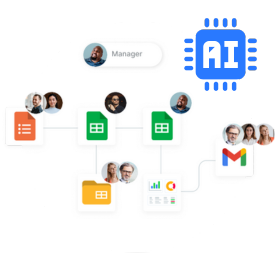
Create your custom system on Google Sheets with AI

Don’t settle for generic templates. Describe your exact needs and generate a tailored solution instantly.

You may also like…

proposal generator software featured image

What is a sales invoice?

Sales invoices play a very important role in every business. Freelancers, small business owners and big corporations need to issue sales...
process and templates

Best Google Sheets invoice template

Have ever used a Google Sheets invoice template? If you are still invoicing your customers manually, you should consider using it. There...
process and templates

Invoice vs Quote: understand the key differences

Introduction: invoice vs quote Invoice vs quote: are there any differences? Yes, there are some important differences. Invoices and quotes...