


Online, free, and collaborative, Google Sheets allows you to manage your inventory data in real-time. If you’re not a spreadsheet whiz, however, designing a system and writing all the formulas can be a challenge. If that’s your case, a Google Sheets inventory template will come in handy.
Excess inventory can dent your cash flow and profitability. On the other hand, shortages prevent you from meeting customer demand. As a result, you can lose business to competitors. Spreadsheets are a great tool for inventory management, and Google Sheets is ideal.
Whether you are operating a small eCommerce business or a major warehouse, inventory matters. Accurate, real-time stock information helps you make the right top-level business decisions.
Google Sheets inventory templates
Ready-made inventory templates help you record and analyze your stock levels. In this article we’ve compiled some of the best templates out there today. You can use them straight out of the box, or customize them to meet your team needs.
The basic templates provide a simple count of which items are in stock. But there’s more complex options that enable you to track sales, delivery, and communication with suppliers. Take a look at the range of templates here to find the best solution for your business.
Top 5 free inventory templates
1. Sheetgo inventory management template
Sheetgo’s inventory management template is a clean, ready-to-use stock-tracking system in a single Google Sheets file.
The Google Sheets inventory template gives entire teams a reliable way to track inventory and stock levels. Providing warehouse and office staff with a simple method to check items in and out.
The single Google Sheets file is organized into a few simple tabs:
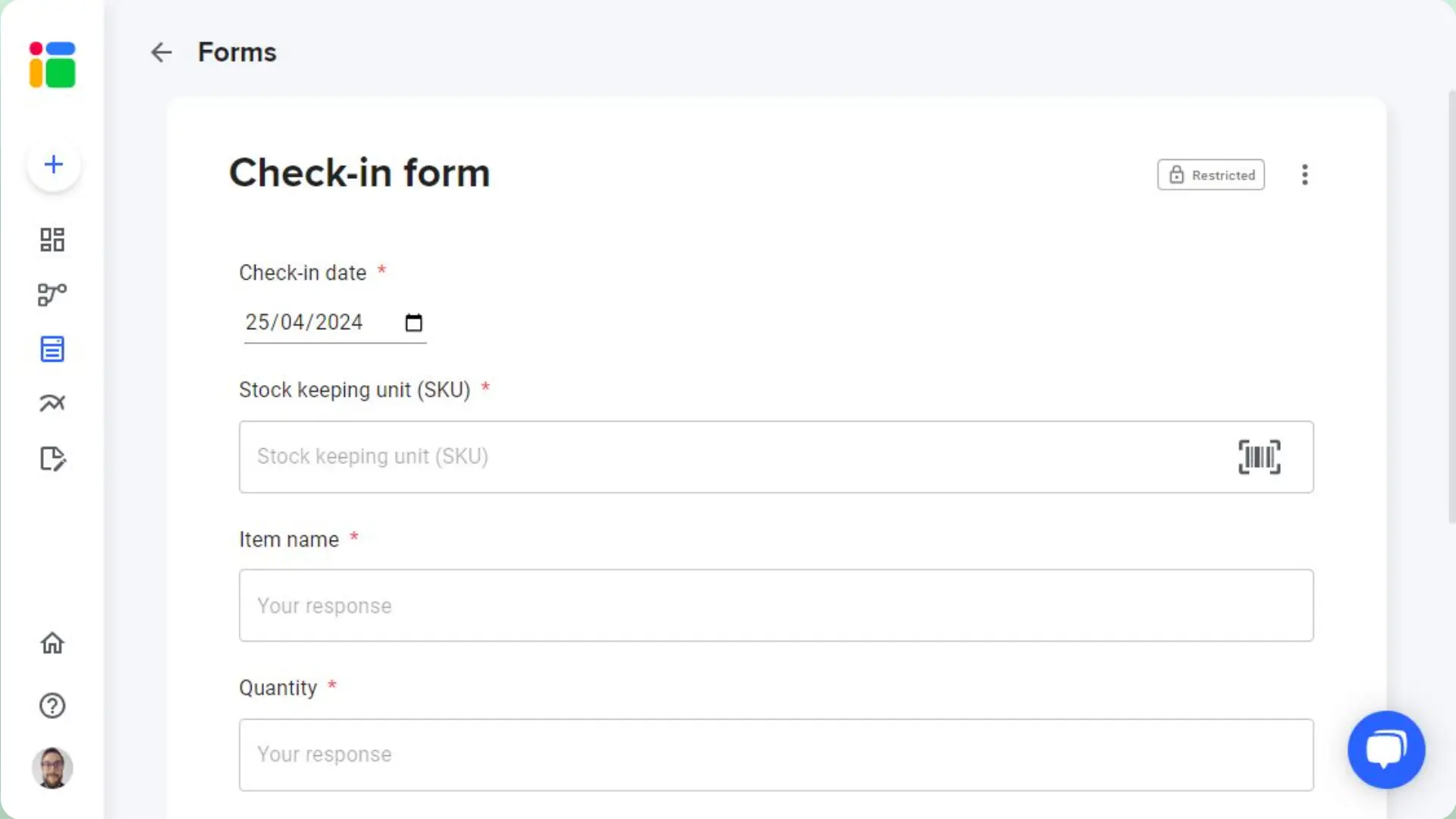
- Check-in: used to record which items enter the inventory.
- Check-out: a register of items leaving the inventory.
- Current inventory list: your live stock count per item, calculated from every check-in and check-out.
- Minimum stock levels: set a minimum per item so the Status column flags anything running low.
This template enables:
- Everything in one file: check-ins, check-outs, current stock and minimum levels, organized in ready-made tabs.
- Running stock totals: the Current inventory list recalculates from every check-in and check-out — no manual math or copy-pasting.
- Low-stock flags: set a minimum per item in the Minimum stock levels tab and spot what needs reordering at a glance.
Get your free template here and click Make a copy: Sheetgo Inventory template in Google Sheets
2. Vertex42
Some templates come packaged into an add-on. This is the case with Vertex42. Their website was traditionally made up of tips and templates for Excel users. Luckily, they have recently made their templates available to Google Sheets users by creating a Sheets add-on.
The Vertex42 add-on features many different kinds of templates, including a few for inventory. The inventory template is called Inventory Control Spreadsheet.
To get this add-on just follow these steps:
- Install the Vertex42 add-on for Google Sheets, open it inside any Google Sheets file, and enter “inventory” in the search box.
- Select Inventory Control Spreadsheet, and then Copy to your Google Drive > Open File.
- Look through the different tabs in the sheet to explore the functions of this template and learn how to use it.

Get the template: Vertex42 (G Suite Marketplace).
3. TradeGecko
TradeGecko is an inventory and sales management software solution. This inventory tracker template consists of an attractive and free inventory management workbook to get you started. To get it, click the link below and then click the Make a copy button. This will save a copy of the template to your Google Drive.

Get the template: TradeGecko (Google Sheets).
4. Basic inventory
This one is a simple inventory template to help you start managing your stock using Sheets. It’s straightforward, no-frills, and easy to use. In particular, this would suit small warehouses or shops that need to keep a regular inventory of stock or orders. Alternatively, you could modify it to fit your business, meaning you potentially have a restaurant or bar inventory template in Google Sheets.
To get this template click the link below, which will open a new window/tab in your browser. Click the Make a copy button and start entering your data.
Get the template: Basic inventory (Google Sheets)
5. Google Forms + Google Sheets
If you would rather build your own from scratch, a native Google Form linked to a Google Sheet is a solid do-it-yourself option. Create a form with fields for product, quantity and date, and connect it to a spreadsheet so every submission lands as a new row.
It is a good fit when several people check items in or out and you do not want to give everyone edit access to the underlying sheet — they only ever see the form. The trade-off is that you build and maintain the formulas and layout yourself, which is exactly what the ready-made templates above already do for you.
Start improving your inventory management
Inventory management is a central part of many businesses, but for whatever reason it is often neglected. We are here to tell you don’t have to spend countless hours or heaps of money to improve your inventory.
Try out these awesome free templates, get your whole team involved and stay on top of your stock. Sheetgo is free to get started, so why not give it a try today?
If you want to keep tweaking your inventory management, check out How to use an inventory scanner in your inventory system.
Frequently asked questions
Are these inventory templates free?
Yes. Each one is a Google Sheets file you copy to your own Drive and keep, with nothing to install.
Which template should I choose?
Start with the Sheetgo inventory management template if you just need to track stock in and out. The others suit specific needs, like an add-on library or a build-your-own Google Form.
Do I need a Sheetgo account to use them?
No. You copy the Google Sheets file and work in it directly. A Sheetgo account only comes in if you later want Sheetgo to run the tracking for you.


 English
  Español
  Português do Brasil
  Français