



As a website owner, managing and organizing your website’s content can be challenging, especially as your website grows. That’s where a Content Management System (CMS) comes in handy. CMS is a software application enabling website owners to easily create, manage, and publish digital content. This guide will explore CMS in-depth, including the types, features, popular platforms, and how to choose and use the right CMS for your website.
What is a CMS?
A content management system (CMS) is a software application that allows you to create, manage, and publish digital content without requiring specialized technical knowledge. A CMS provides a user-friendly interface that enables you to create, edit, and manage website content, such as text, images, videos, and other media files, using a web-based interface.
With a CMS, you can create and organize website content into different categories and sections, manage user roles and permissions, and customize website design and functionality using themes and plugins. CMS platforms offer various features and functionalities that allow you to manage all aspects of your website, including content creation, design, optimization, and security. Individuals and organizations of all sizes use CMS platforms to create and manage websites, from small personal blogs to large e-commerce websites.
The main advantage of using a CMS is that it allows you to create and manage website content with ease without requiring extensive technical knowledge or skills. This makes it possible for anyone to create and manage a professional-looking website, even if they have no experience with coding or web design. Additionally, CMS platforms are highly customizable, allowing you to create a website that reflects your brand and meets your specific needs.
Types of CMS
Open-source CMS
Open-source CMS is a free software application that anyone can download, use, and modify the source code. Some popular open-source CMS platforms include WordPress, Drupal, and Joomla. Advantages of open-source CMS include:
- Flexibility: Open-source CMS provides users with a range of customization options to fit their specific needs.
- Community support: Open-source CMS platforms have a large community of developers who contribute to the development and support of the software, providing users with timely updates and bug fixes.
- Cost-effectiveness: Open-source CMS is free to download and use, which makes it a cost-effective solution for small businesses and personal websites.
Proprietary CMS
Proprietary CMS is a commercial software application that requires a license to use. Some popular proprietary CMS platforms include Adobe Experience Manager and Sitecore. Advantages of proprietary CMS include:
- Advanced features: Proprietary CMS often provides advanced features and functionalities that open-source CMS may not offer.
- Dedicated support: Proprietary CMS typically comes with reliable customer support, which can help resolve any issues that arise.
- Scalability: Proprietary CMS is often designed to support larger websites with complex requirements.
Cloud-based CMS
Cloud-based CMS is a software application hosted on the cloud, allowing users to access it through a web browser. Some popular cloud-based CMS platforms include Wix and Squarespace. Advantages of cloud-based CMS include:
- Ease of use: Cloud-based CMS is easy to use and requires no technical knowledge to get started.
- Scalability: Cloud-based CMS can scale to meet the needs of growing websites without the need for additional infrastructure.
- Low maintenance: Cloud-based CMS platforms typically handle maintenance and updates automatically, reducing the workload for website owners.
Self-hosted CMS
Self-hosted CMS is a software application that users install and host on their own server. Some popular self-hosted CMS platforms include WordPress.org and Drupal. Advantages of self-hosted CMS include:
- Full control: Self-hosted CMS gives users complete control over their website and data, allowing for more customization options.
- Customizability: Self-hosted CMS provides a range of customization options, including the ability to install plugins and add custom code.
- No monthly fees: Self-hosted CMS platforms typically have no monthly payments, making it a cost-effective solution for small businesses and personal websites.
Features of CMS
Content creation and editing
CMS allows website owners to create, edit, and manage digital content easily. Some key features of content creation and editing in CMS include:
- Visual editor: Most CMS platforms come with a visual editor that allows website owners to create and edit content without any coding knowledge.
- Content organization: CMS allows website owners to organize their content into categories and tags, making it easier for users to find the necessary information.
- Content scheduling: CMS allows website owners to schedule content for publishing at a later date, making it easier to manage the content publication.
User management and permissions
CMS allows website owners to manage users and set different permissions levels. Some key features of user management and permissions in CMS include:
- Role-based access: CMS allows website owners to set different user roles with varying levels of access and permissions, such as admin, editor, and contributor.
- User registration: CMS allows website owners to enable user registration, allowing visitors to create accounts and access restricted content.
- User activity tracking: CMS allows website owners to track user activity, such as login times and content changes.
SEO optimization
CMS platforms often include features that enable website owners to optimize their content for search engines. Some key SEO optimization features in CMS include:
- SEO-friendly URLs: CMS platforms allow website owners to create SEO-friendly URLs, making it easier for search engines to crawl and index their websites.
- Meta tags: CMS platforms allow website owners to add meta tags, such as title tags and meta descriptions, to their content, helping search engines understand the content’s topic and relevance.
- Sitemap generation: CMS platforms allow website owners to generate sitemaps, which provide search engines with a roadmap of their website’s structure and content.
Design and theme management
CMS allows website owners to manage their website’s design and themes easily. Some key features of design and theme management in CMS include:
- Theme selection: CMS platforms offer a range of pre-designed themes that website owners can choose from or customize to fit their brand and style.
- Customization options: CMS platforms provide users with customization options, such as color schemes, font styles, and layout, to create a unique design for their website.
- Responsive design: CMS platforms often come with responsive design features, ensuring their website looks good on any device, from desktops to mobile phones.
E-commerce integration
CMS platforms often include e-commerce integration features that enable website owners to sell products and services online. Some key e-commerce integration features in CMS include:
- Product management: CMS platforms allow website owners to manage their product listings, including descriptions, prices, and inventory levels. Our guide to inventory management for e-commerce explains how to keep stock levels accurate.
- Payment gateway integration: CMS platforms integrate with payment gateways, allowing website owners to process payments securely and efficiently.
- Order management: CMS platforms allow website owners to manage orders, including tracking and shipping information.
Top CMS platforms
When it comes to CMS platforms, there are many options available. Here are some of the popular ones to consider:
HubSpot CMS Hub
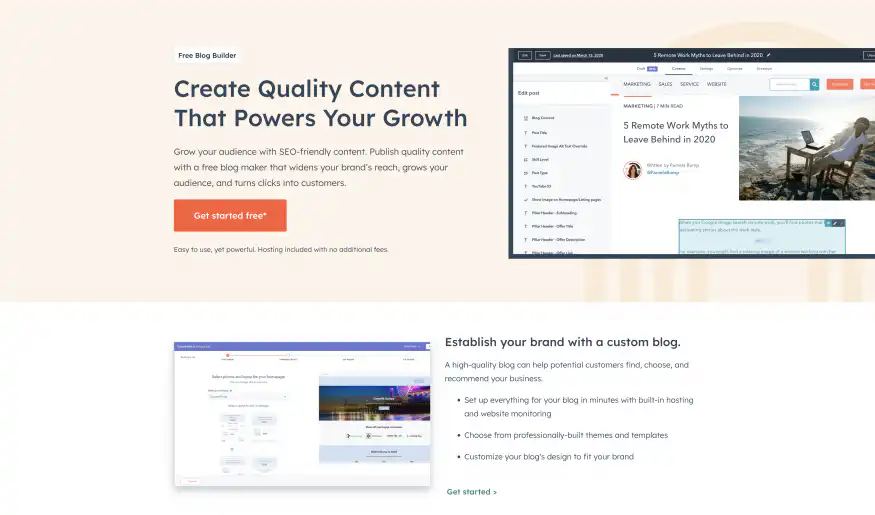
HubSpot CMS Hub is the perfect solution for businesses looking to create, personalize, and optimize website pages that convert visitors into customers. Here are some features that make CMS Hub stand out:
- Drag and Drop Website Builder: Update and create website pages without a developer’s help or custom code, with the ability to publish changes on the fly.
- Website Themes and Templates: Choose from pre-built website themes and templates, with the option for custom development, to ensure a cohesive site without worrying about design inconsistencies.
- Fully Integrated CRM: Track visitors to your site in one place and create personalized digital experiences using CRM data, turning your website into a growth engine for your business.
- Web Hosting: Host your website on a fully managed and optimized infrastructure that scales with your business, ensuring your content is secure and reliable when it reaches your customers.
- Custom Domain Connection: Connect a custom domain to your website to instill trust in your brand and build organic search authority from the start.
- Blog Maker: Publish SEO-friendly content that widens your brand’s reach and grows your audience using the free blog maker.
You can get started with HubSpot CMS Hub for free. That way, you can grow your audience with SEO-friendly content and publish quality content with a free blog maker that widens your brand’s reach, grows your audience, and turns clicks into customers. To see what a CRM adds beyond the website, read our guide to growing your business with a CRM.
WordPress

WordPress is the most popular CMS platform, powering over 40% of all websites on the internet. WordPress is an open-source CMS that is free to use and highly customizable. Some key features of WordPress include:
- Ease of use: WordPress is easy to use and requires no technical knowledge to get started.
- Large community: WordPress has a large community of developers who contribute to the development and support of the software.
- Plugin ecosystem: WordPress has a vast plugin ecosystem, providing users with various functionalities and features.
Drupal

Drupal is an open-source CMS that is highly customizable and scalable. Drupal is popular among larger websites with complex requirements. Some key features of Drupal include:
- Scalability: Drupal is designed to handle large websites with complex requirements.
- Security: Drupal’s strong focus on security makes it a popular choice for government and enterprise websites.
- Customizability: Drupal provides a range of customization options, including the ability to create custom content types and fields.
Joomla
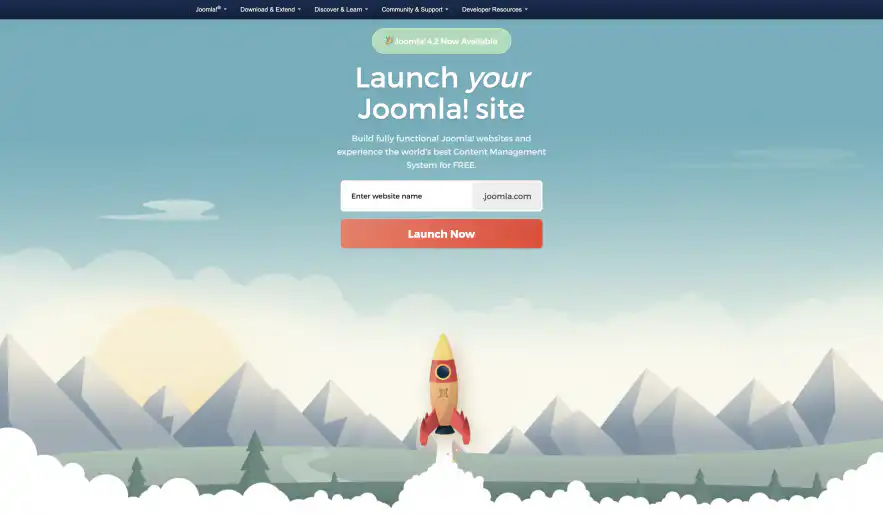
Joomla is an open-source CMS that is easy to use and highly customizable. Joomla is popular among small to medium-sized businesses. Some key features of Joomla include:
- Ease of use: Joomla is easy to use and requires no technical knowledge to get started.
- Customizability: Joomla provides a range of customization options, including the ability to create custom content types and fields.
- Multilingual support: Joomla supports multilingual websites, making it a popular choice for websites with an international audience.
Adobe Commerce
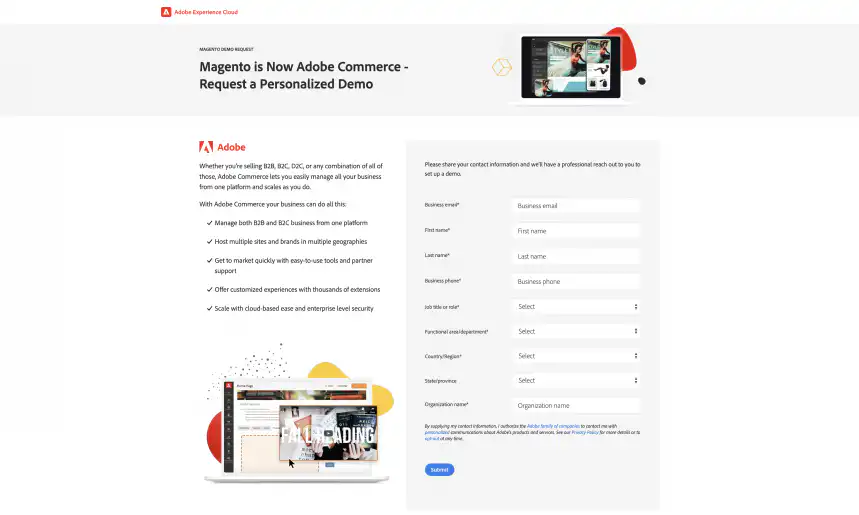
Adobe Commerce, formerly Magento, is a commercial e-commerce platform built on the open-source Magento code. It provides a range of features, including product management, order management, customer management, and marketing tools. Adobe Commerce is a powerful platform that can handle large e-commerce websites with many products and customers. However, it may require technical expertise to set up and manage.
Shopify
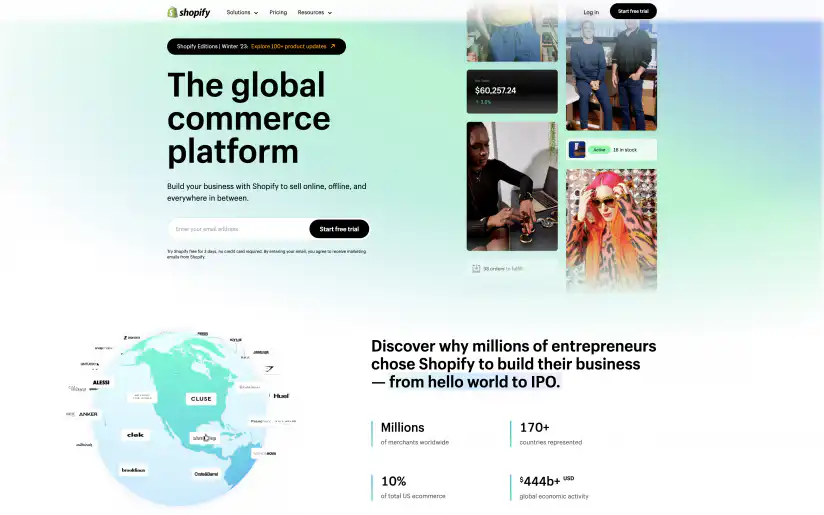
Shopify is a cloud-based CMS platform designed for small and medium-sized e-commerce websites. It provides a range of features, including product management, order management, customer management, and marketing tools. Shopify is easy to set up and use, making it an excellent choice for non-technical users. However, it may have limited flexibility compared to open-source CMS platforms. If you run a Shopify store, you can also send Shopify data to Google Sheets for reporting.
How to choose the right CMS platform for your website?
Choosing the right CMS platform for your website can be a daunting task, especially if you’re new to the world of CMS. Here are some key factors to consider when choosing a CMS platform for your website:
Budget
CMS platforms range from free to thousands of dollars, depending on their features and functionalities. Considering your budget and choosing a CMS platform that fits within it is essential. While some CMS platforms may be free to use, remember that you may need to pay for hosting, domain name registration, and other services.
Technical expertise
Some CMS platforms require technical expertise to set up and manage, while others are designed for non-technical users. Consider your technical knowledge and choose a CMS platform that fits your skill level.
Features and functionalities
Consider the features and functionalities your website requires and choose a CMS platform that provides them. For example, if you plan to sell products online, choose a CMS platform with e-commerce integration features.
Scalability
Consider the scalability of the CMS platform and choose one that can grow with your website. If you plan to expand your website, choose a CMS platform that provides scalability features.
Security
Consider the security features of the CMS platform and choose one that provides robust security features. A secure CMS platform can help protect your website and users from cyber threats.
Installing and setting up CMS
Installing and setting up a CMS platform may seem challenging, but it can be straightforward if you follow these steps:
Preparing for installation
Before installing a CMS platform, you must prepare your server or hosting environment. This may include setting up a database, installing PHP, and configuring your web server.
Installing CMS on a server
Once you’ve prepared your server, you can install the CMS platform. This typically involves uploading the installation files to your server and following the installation wizard.
Configuring the basic settings
After installation, configure the basic settings, including website name, description, and logo, ensuring the logo design reflects your brand’s identity. You may also need to configure the website language, timezone, and other settings.
Installing themes and plugins
You can install themes and plugins to customize your website design and add new features. Themes provide website design templates, while plugins provide additional functionality such as contact forms, social media integration, and SEO optimization.
Creating and managing content in CMS
Content creation and management are essential tasks in a CMS platform. Here are some key features for creating and managing content:
Adding pages and posts
Using the CMS platform, you can add new pages and posts to your website. Pages typically provide static content, such as About Us and Contact Us pages, while posts offer dynamic content, like blog posts and news articles.
Using the visual editor
The visual editor is a WYSIWYG (what-you-see-is-what-you-get) tool that allows you to create content without coding. You can use it to add text, images, videos, and other media files to your content.
Adding media files
You can add media files such as images, videos, and audio files to your content. You can also manage media files, including organizing them into folders and galleries.
Creating categories and tags
Categories and tags allow you to organize your content and make it easier for users to find. You can create and assign categories and tags to your pages and posts.
Managing content revisions
CMS platforms typically provide version control, which allows you to manage content revisions. You can revert to an earlier version of your content if needed.
Design and customization in CMS
Design and customization are important features in a CMS platform. Here are some key features for website design and customization:
Choosing and installing themes
CMS platforms provide a range of themes that you can choose from. You can install a theme and customize it to fit your website design.
Customizing the website layout and design
You can customize the website layout and design using the CMS platform. This may include changing colors, fonts, and other design elements.
Using page builders and widgets
Page builders and widgets allow you to create custom page layouts and add new features to your website. You can use them to create custom landing pages, contact forms, and other elements.
Adding custom code and functionality
For advanced users, CMS platforms provide the ability to add custom code and functionality to your website. You can add custom code snippets or use the CMS platform’s API to integrate with other services or create custom functionality. To connect your CMS with other systems, it helps to understand what data integration is.
SEO optimization in CMS
SEO optimization is essential to ensure your website appears on search engine results pages (SERPs). Here are some key features for SEO optimization in a CMS platform:
Optimizing website structure and navigation
Website structure and navigation play a crucial role in SEO. You can optimize your website structure and navigation by creating a clear hierarchy of pages and using internal linking.
Creating SEO-friendly content
Creating SEO-friendly content is essential to improve your website’s ranking in SERPs. You can optimize your content by using relevant keywords, writing high-quality content, and using headings and subheadings.
Installing SEO plugins
SEO plugins provide a range of features to optimize your website for search engines. These features may include keyword analysis, content analysis, meta tags, and sitemaps.
Integrating with Google Analytics and Search Console
Google Analytics and Search Console provide valuable data to help you monitor your website’s performance and optimize your SEO strategy. To access this data, you can integrate your CMS platform with Google Analytics and Search Console. To report on that data next to your other numbers, you can also connect Google Analytics to Google Sheets.
Security and backup options in CMS
Website security and backup options are critical to protecting your website from data loss and cyber-attacks. Here are some key features for security and backup options in a CMS platform:
Ensuring website security
You can ensure website security by using strong passwords, limiting access to your website’s backend, and regularly updating your CMS platform and plugins.
Using SSL certificates
SSL certificates provide a secure connection between your website and its users. You can install an SSL certificate on your website to protect user data and improve your website’s credibility.
Installing security plugins
Security plugins provide a range of features to protect your website from cyber attacks, including malware scanning, firewalls, and brute-force protection.
Backing up website data
Backing up your website data is essential to protect your website from data loss. You can use a CMS platform’s built-in backup features or third-party backup services to regularly back up your website data.
Conclusion
A Content Management System is essential for managing website content effectively. CMS platforms provide a range of features and functionalities, including content creation, publishing, and management, user management, SEO optimization, design and theme management, and e-commerce integration.
When choosing a CMS platform for your website, consider factors such as budget, technical expertise, features and functionalities, scalability, and security. By selecting the right CMS platform, you can create a website that is easy to manage, secure, and scalable, providing an excellent user experience for your visitors.
If your team plans and tracks website content in spreadsheets, Sheetgo, an AI-powered data automation platform, can turn those sheets into connected workflows.


 English
 Español
 Português do Brasil
 Français